
Watch out for parcel scams

It started with a text message. Sarah glanced at her phone while waiting for a meeting to start.
Evri: Your parcel has a £1.45 shipping fee. Pay now to avoid your parcel being returned to sender.
A couple of hours later, another message arrived.
Royal Mail: Your package has an unpaid shipping fee of £2.99. Please pay now or your package will be returned to sender.
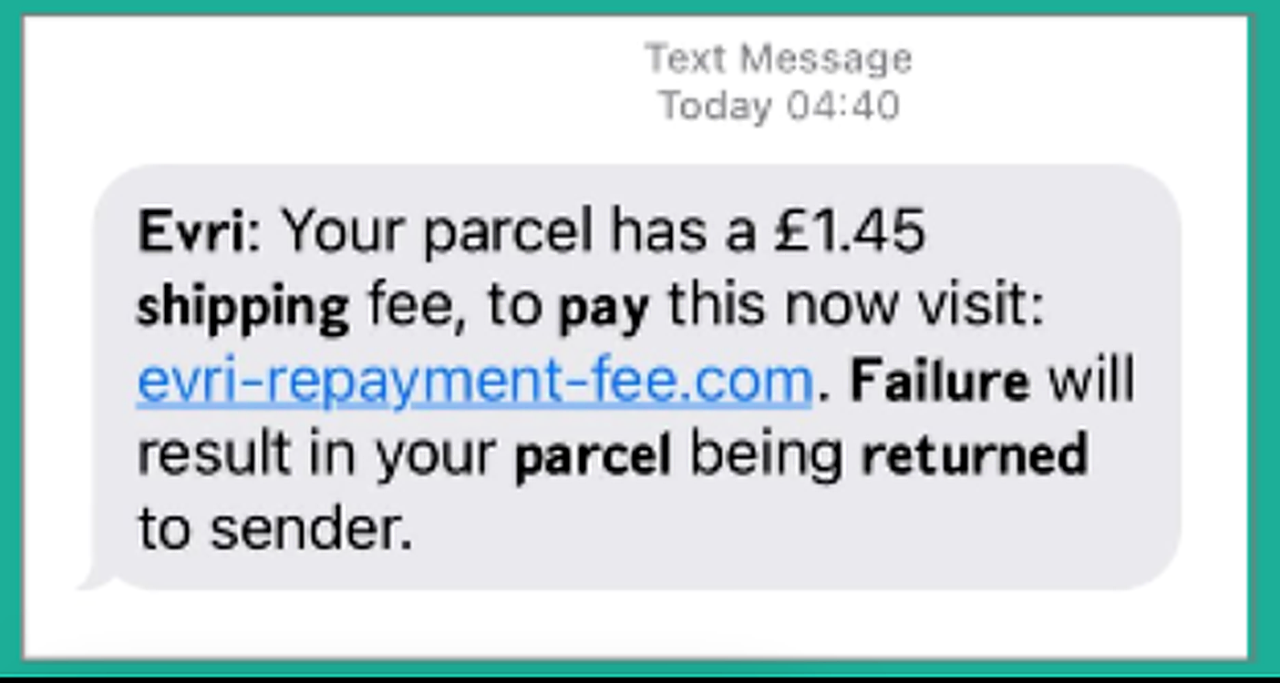
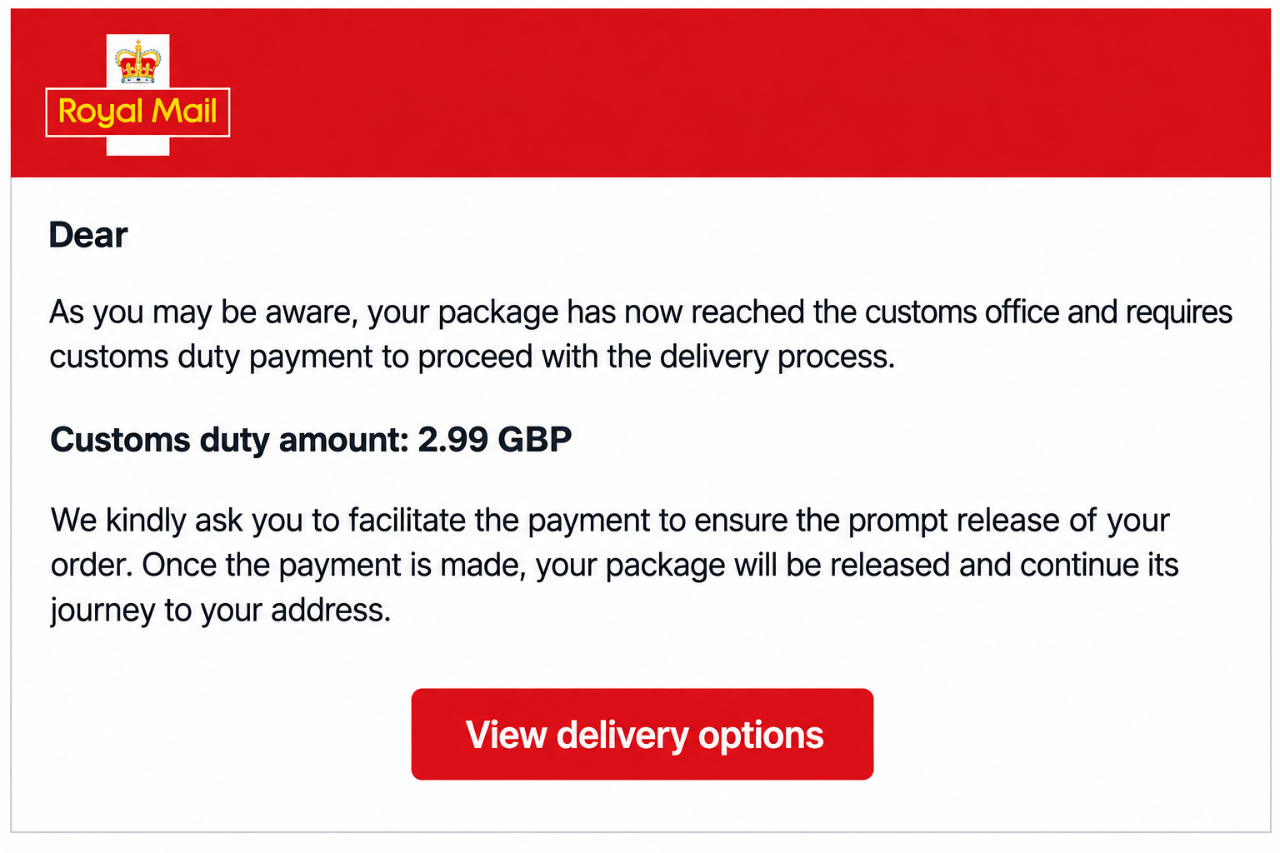
"That's odd," Sarah thought. She wasn't expecting a parcel. But then again, maybe she'd forgotten about an online order...
The messages looked convincing. They used familiar courier names, asked for a tiny payment, and included links to "resolve" the issue.
Before Sarah clicked, she decided to leave it and get on with her day. Good thing she did. The next morning, an email landed in her inbox.
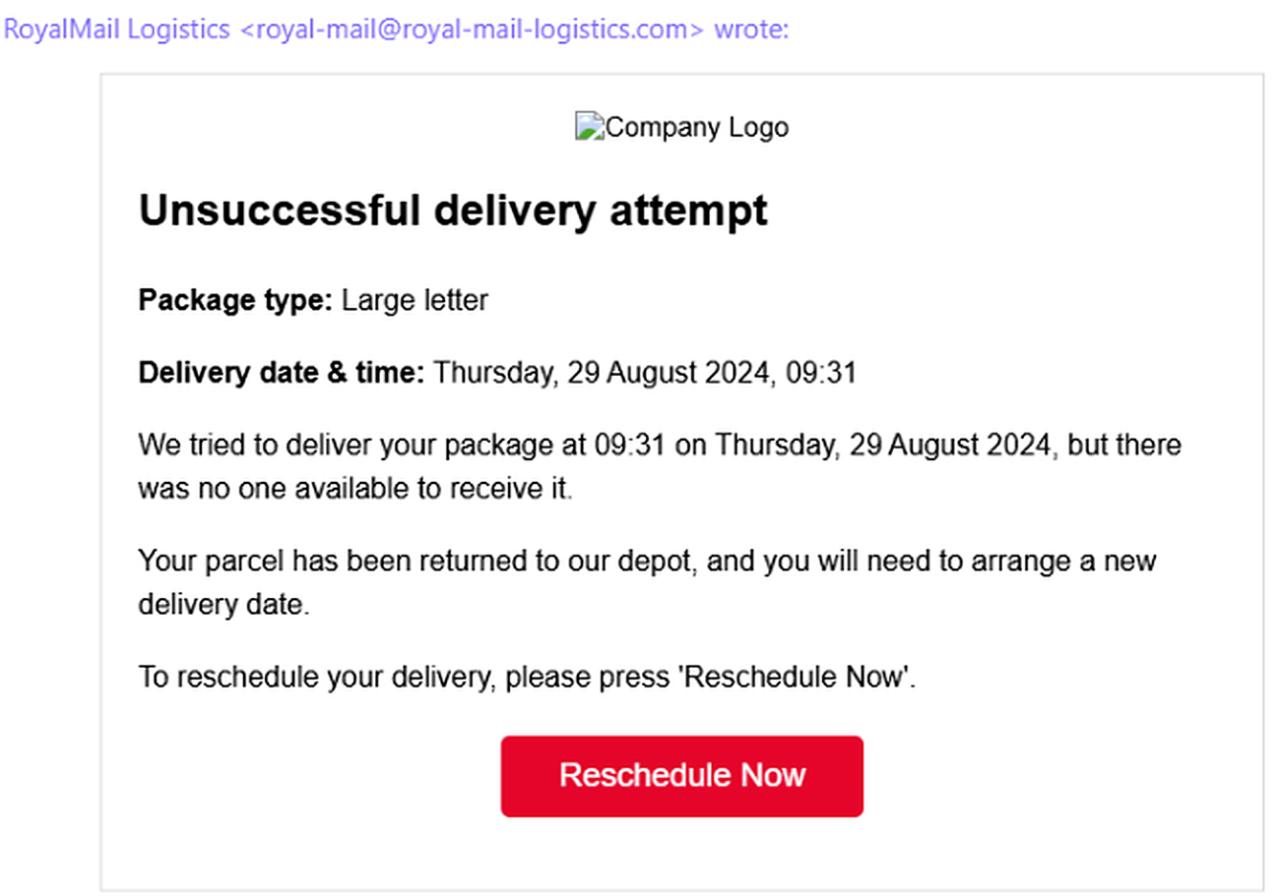
The email looked professional. The subject was about an unsuccessful delivery attempt. It claimed that a parcel couldn't be delivered because nobody was available to receive it. The message included delivery details, a reference to a depot, and a big red button labelled:

"Well, this one definitely looks real," Sarah thought. The email even appeared to come from Royal Mail. But something didn't feel right.
A closer look revealed that the sender's email address wasn't an official Royal Mail address. The email was creating urgency and pushing Sarah to click a link instead of checking through official channels. Suddenly, Sarah realised something. The text messages and the email were all telling the same story: "There's a problem with your parcel. Click here immediately to fix it."
Only the delivery company name and the amount had changed.
What gave the scam away?
Although the messages looked slightly different, they shared the same warning signs:
- They claimed there was a problem with a delivery.
- They requested a small payment to fix it.
- They included links to websites that weren't official courier websites.
- They created pressure by threatening to return the parcel.
- They relied on people reacting before checking the facts.
The goal isn't the £1.45 or the £2.99. The goal is getting you to click the link and hand over personal information, passwords, or payment details.
What Sarah did instead
Rather than clicking the link straight away, Sarah paused and checked a few details. She was expecting some deliveries, as many people are during the festive season, but she knew that receiving parcels doesn't automatically make every delivery message genuine.
Instead, she visited the courier's official website directly and checked her delivery status there. She also looked more closely at the sender details and the web address in the message. That's when she spotted the warning signs.
The messages were scams. A few seconds of checking saved her from potentially handing over much more than £1.45.
A few moments of checking saved Sarah from potentially handing over personal information and payment details to cybercriminals.
Remember....
Before responding to any parcel notification: Stop. Check. Verify.
Ask yourself:
✔ Am I expecting a parcel?
✔ Is the message asking for an unexpected fee?
✔ Does the web address match the official courier website?
✔ Can I check the delivery through the courier's app or website instead?
If the answer seems unclear, don't click the link. Go directly to the courier's official website and check there.
What we can learn from Sarah
As we head into the festive season and deliveries become part of everyday life, it's easy to let our guard down when a message about a parcel appears on our phone or in our inbox. That's exactly what scammers are counting on.
Be watchful and double-check sender details.
Because sometimes the only thing being delivered is the scam itself.
Spot the red flags
Looking at the example on the right, can you spot the warning signs before clicking? How many clues can you find that suggest this message is not genuine?
A single warning sign doesn't automatically mean a message is a scam. However, if you spot several of these red flags in the same message, you can be confident it isn't genuine. If you receive a suspicious message like this in your Warwick account, please report it using Outlook's Report Message button.
Have you ever experienced a parcel scam? Share your experience in the comments below.
Messages should respect our community guidelines on commenting.Link opens in a new window