
Viewing departmental records
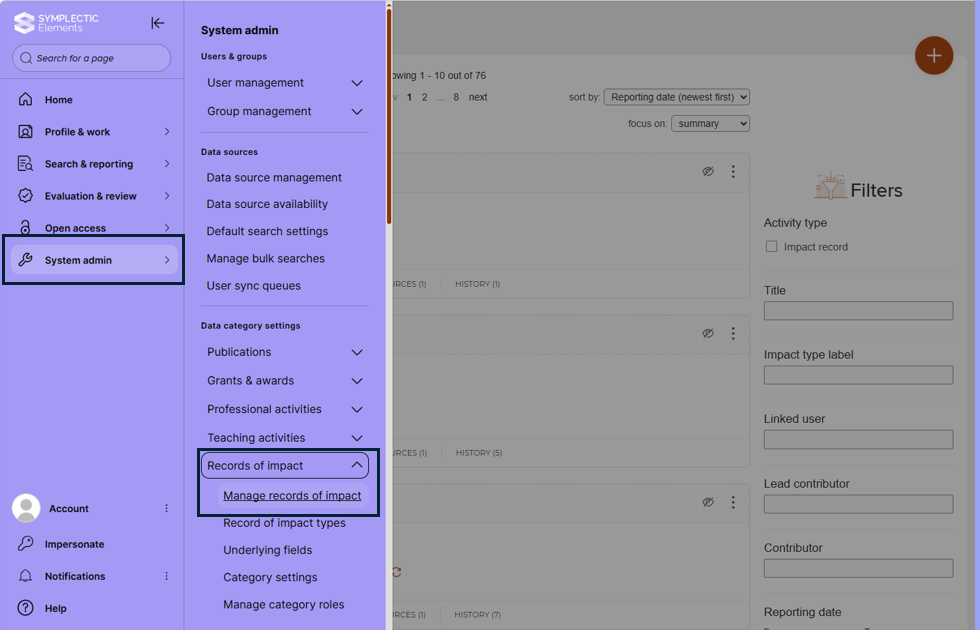
1. If you are a Departmental Impact Director or if you work with impact in a professional services role, and you need to view all of the records within your own department, use the side menu and select 'system admin'. Hover over 'Records of Impact' and then select 'Manage records of Impact':
If you don't see this menu, please contact your named contact in the Impact team in Research and Impact Services, or email Research_Impact@warwick.ac.uk to ask to be given access to your department's records.
2. You will now be greeted with the list of records within your department. Use the filters to the right to select the records you want to see.
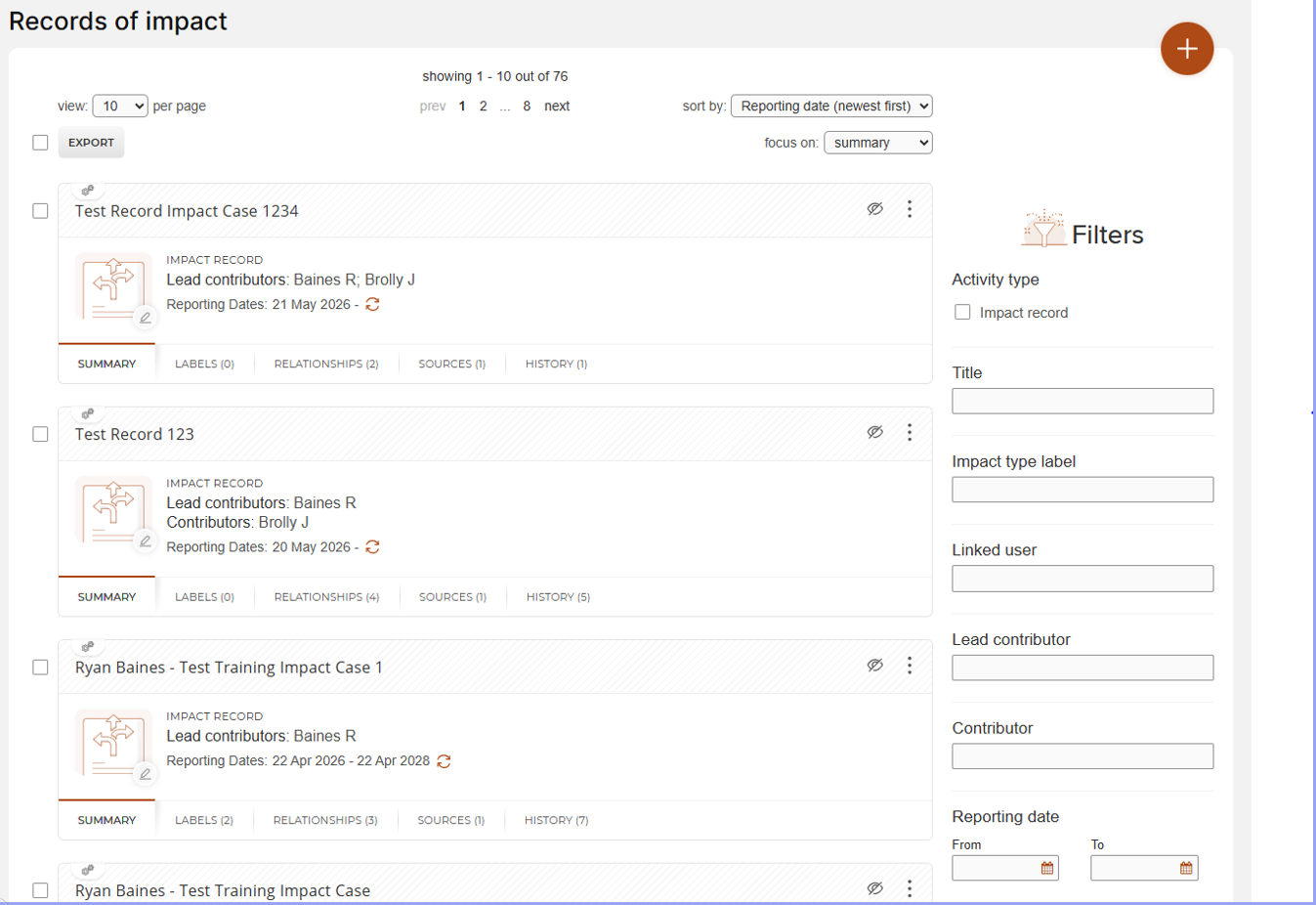
Please note: You will only be able to see records within your department.