
Attaching Evidence
Attaching evidence: Once a record is created there may evidence that you would like to add now or at a later stage to add further insight to the impact record.
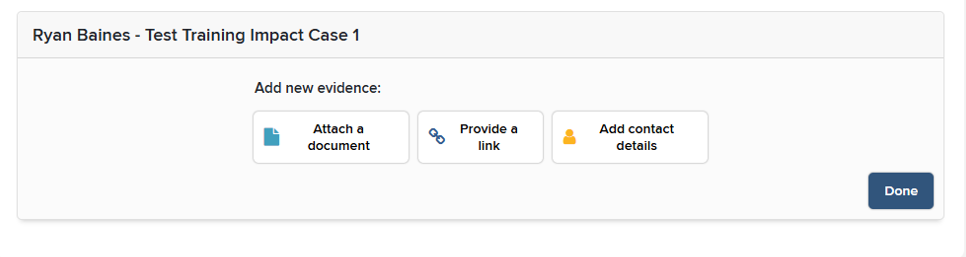
Step 1 : When attaching evidence you will have 3 options :
| Attach a document | A section where you can attach different types documents and files to the record (Including audio and video) |
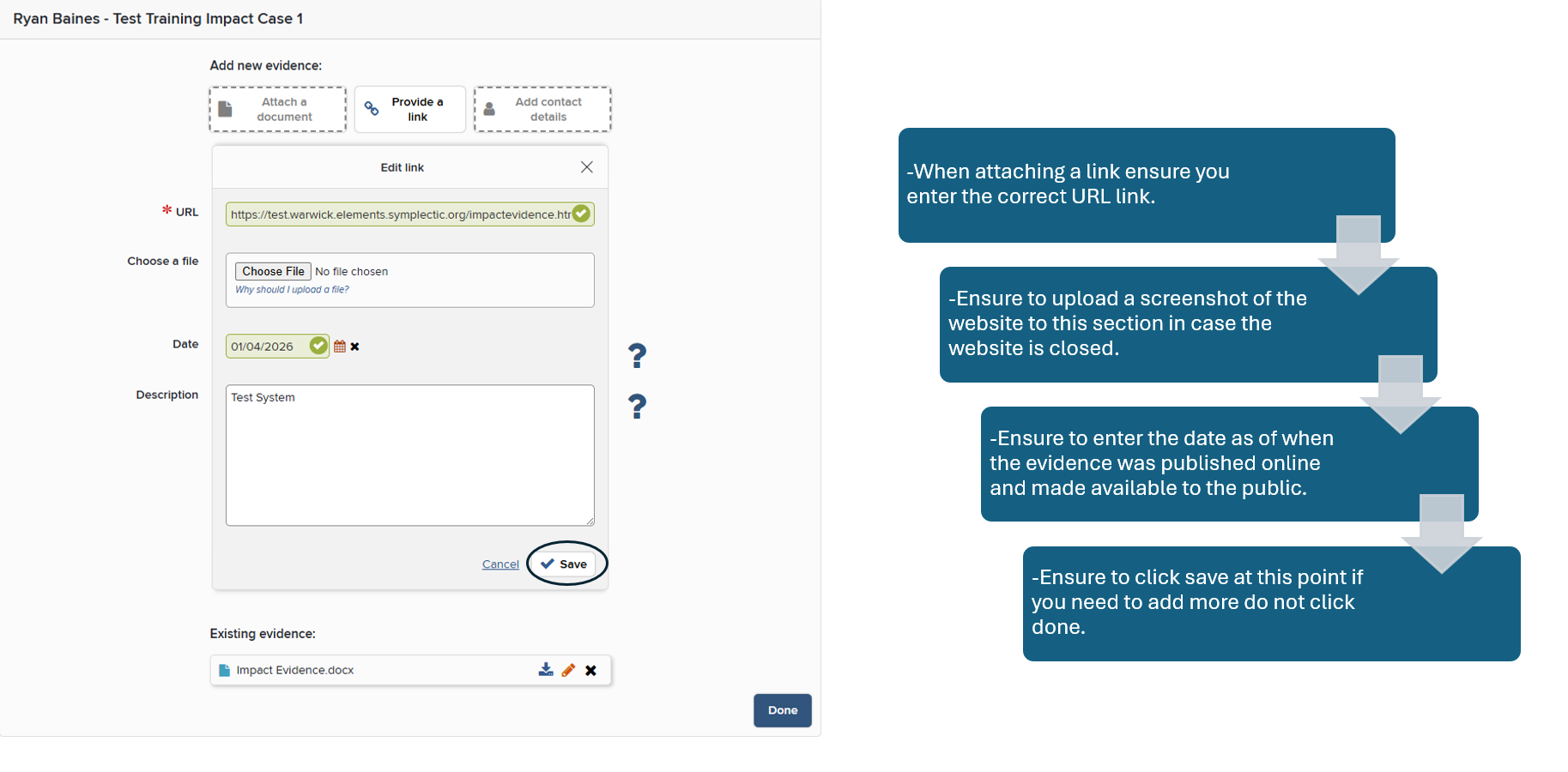
| Provide a link | You can attach any used links of websites which support the impact record. It would be useful to also screenshot the website page itself in case the website becomes unavailable or its server is shut down. |
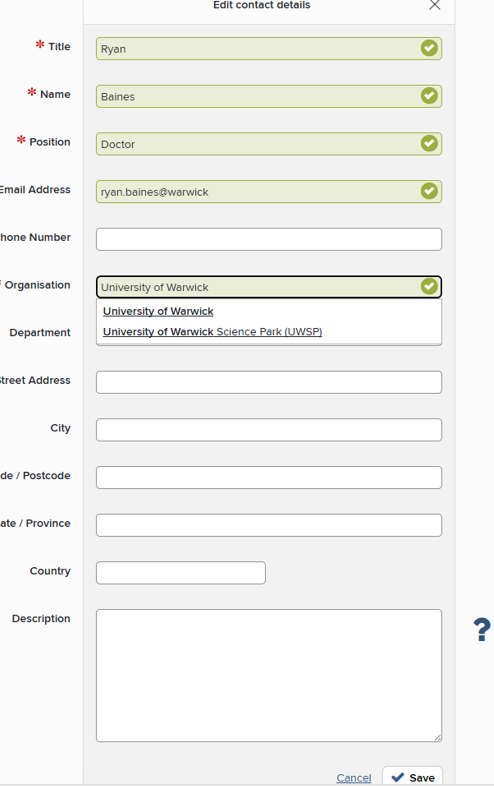
| Add contact details | Add any contacts of any references you have spoken to from other organisations. Please ensure to get their permission for details to be added if the details are personal. |
Please refer to the image below for further context:
Attaching a document : We are now going to look at attaching a document please refer to the screenshot below:
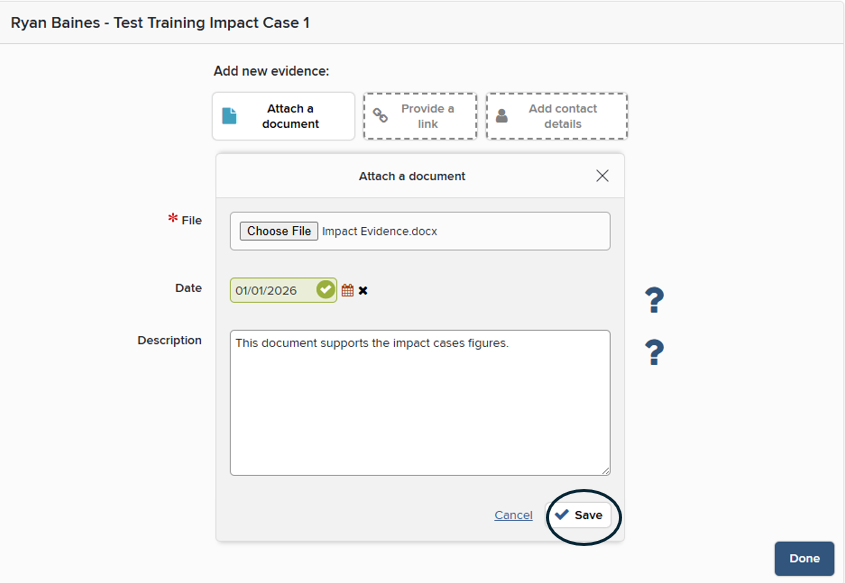
Please note : When attaching a document, you will need to add a file to progress. Please ensure to click save if you need to add further information. By clicking done it will complete the entire impact record.
Option 1 : Please ensure when inputting a date, you enter the date which the evidence was made available to the public
Option 2 : There is a large body of evidence which is not available to the public but still evidence impact. In this case, we can enter the date which the evidence was made available to the PI and not just publicly accessible
Attaching a link:
Adding contact details:
|
•When adding a contact ensure to enter the mandatory information
|
|
•Ensure to get that person's permission for personal details due to GDPR purposes as this data will be viewed by others. If inputting organization details no permission is needed as it is already available to the public. If there are niche situations or you are unsure about a situation which relates to GDPR please reach out to the impact team
|
|
• Ensure to click save at this point if you need to add more do not click done.
|
End result: Once all of the evidence has been added to the impact record there will be a list compiled of the evidence. Please see the screenshot below for reference.
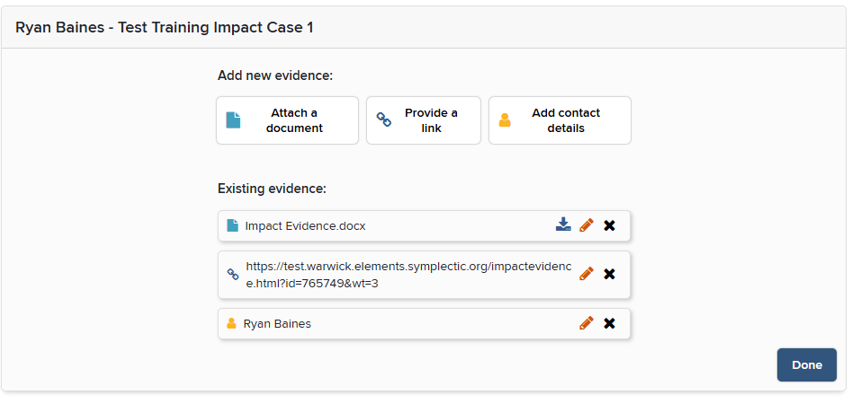
Please note: You can edit the evidence submitted by using the pencil icon. You can delete by using the cross. When clicking done the evidence will be added to your impact record.