
1.1. Turn on a computer
1.1
How to turn on your computer or laptop
Typically, all computer/laptops are turned on by pressing a button that generally lights up when you press it.
It could be in one of these places:
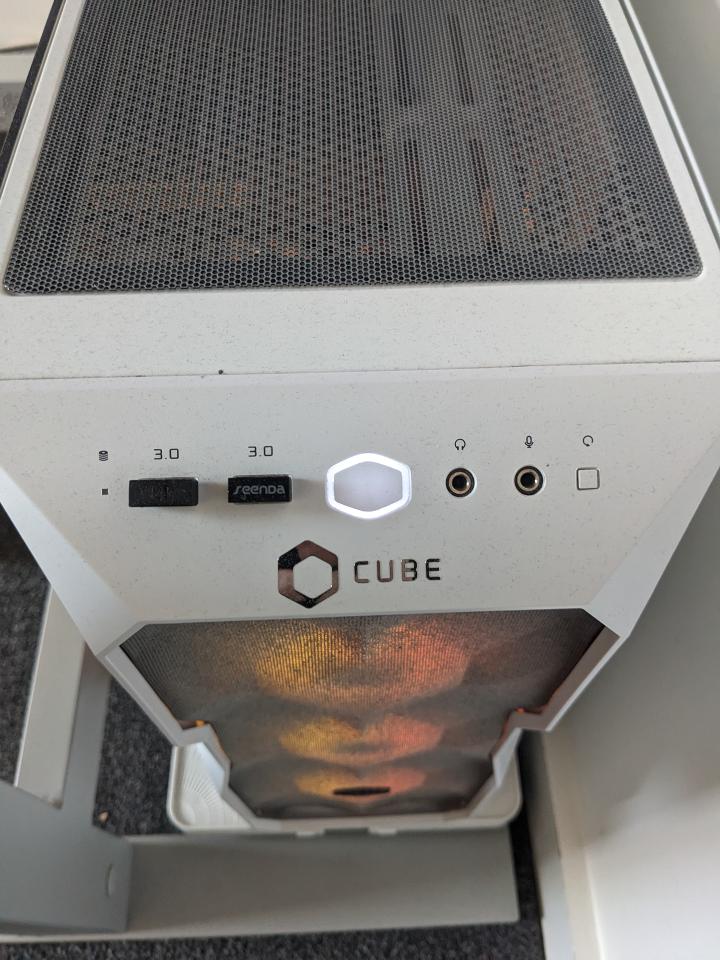 On the a desktop computer
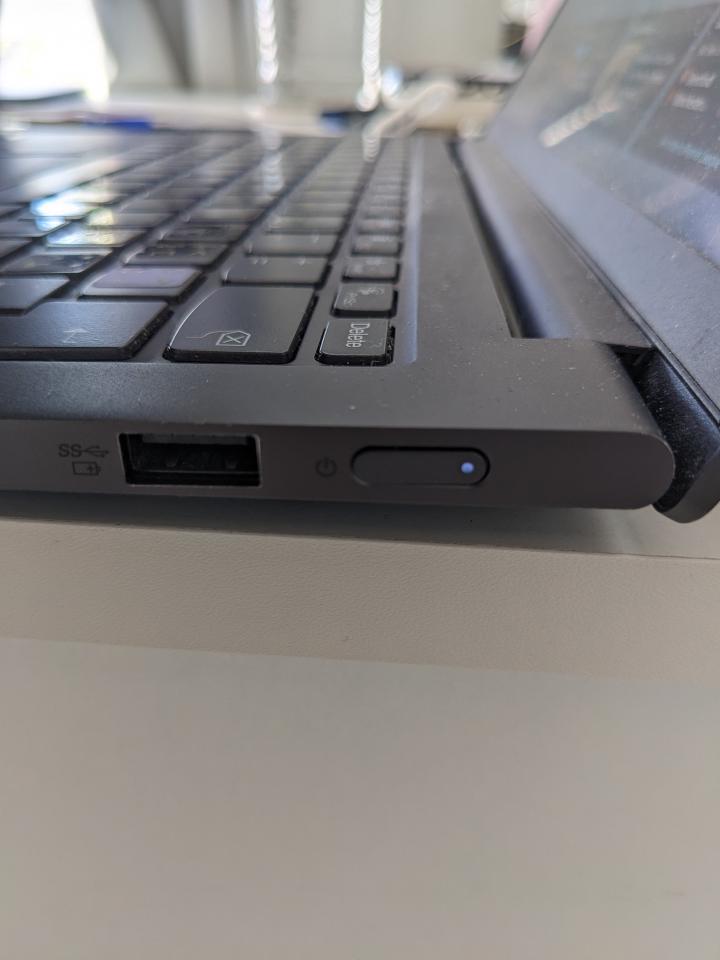 On the side of a laptop
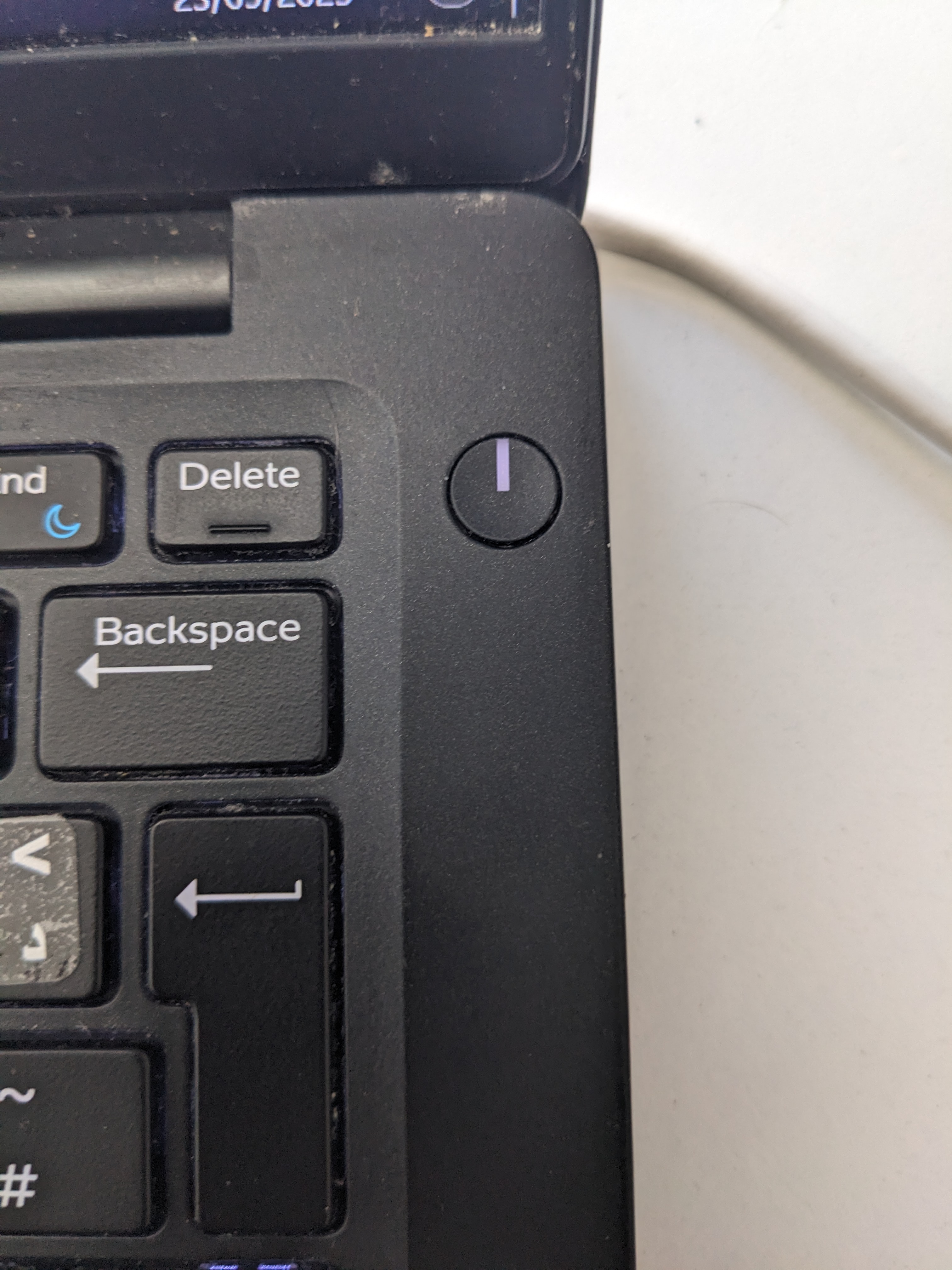 Inside a laptop
Once your computer or laptop is on, to navigate or move around on the computer or laptop you would need to use a "Mouse" or a "Touchpad" which is only found on laptops. Your position on screen is shown by a small arrow called a "Cursor" (↖).
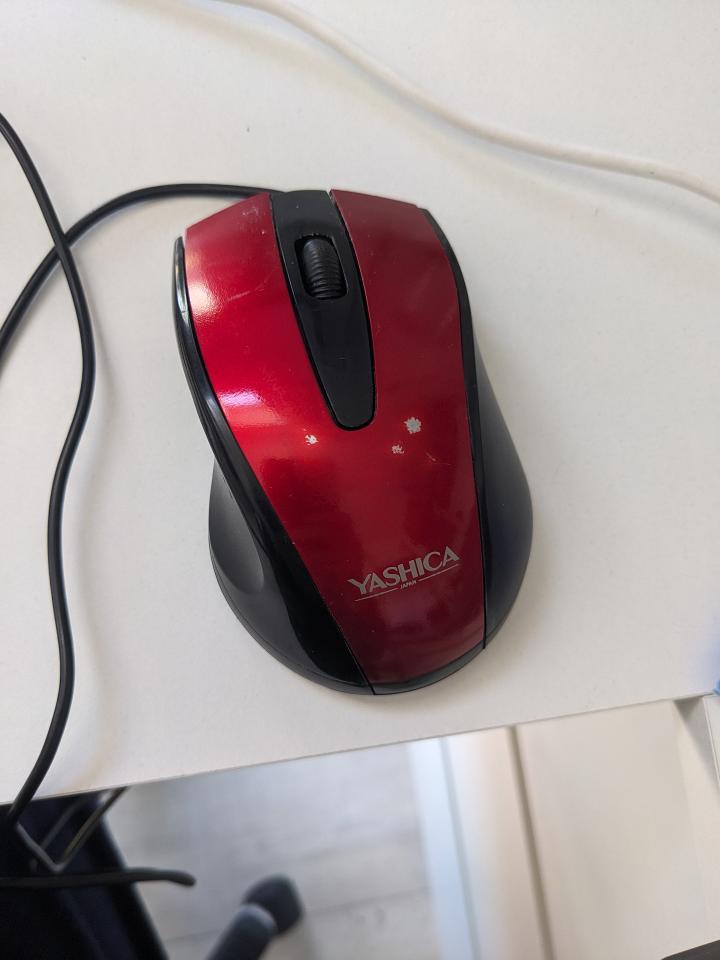 Computer or Laptop Mouse
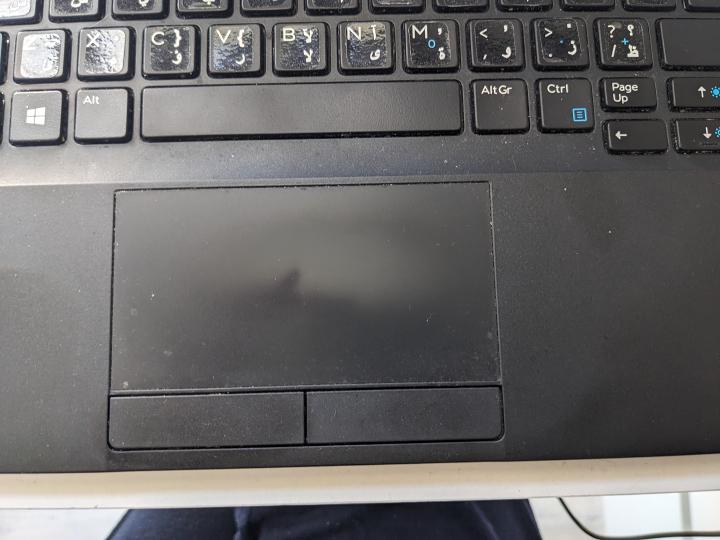 Laptop Touchpad
Both the mouse and the touchpad have buttons that you use to click and select what you want to use. In general, the left side button is for selecting what you want and the right side button is for getting the menu.