
2.1.1. Career test 1- CareerExplorer
CareerExplorer
An example of a career assessement test
First, To access the test through a computer/laptop or mobile device you would need to click the following link: Career Test | The World's Best Career Test – CareerExplorer. Link opens in a new window. As shown in the previous section, on the first page you would need to click the white button in the middle of the page called “Start Career Test”.
As soon as you click the button, it would take you to the test description page which include the 4 different sections and how much time each section would take (in yellow below). You need to click the white button that says “Start the assessment”.
 CareerExplorer test structure and timeline
The test takes around 30 minutes to complete and it mostly made up with different types of multiple choice questions. You would need to select the answers that apply to you and you also have the to skip the questions you do not want to answer. To begin each section you need to click on the white button first, then go to the questions. In some sections you can also use the arrow (below in yellow) to go back to the previous questions if you wanted to check or change your answers.
On the left hand side you can use this area (in yellow in the picture above) to see your progress and how much time is remaining for your to complete the test.
1. The test begins with personality multiple‑choice questions, where you select the most suitable answer (in purple below) or skip if it does not apply (in orange below).
2. The career rating and degree rating sections have the first set of questions require you to rate the questions using stars (in orange below), while the rest of the question will be similiar to the first section.
3. The fourth “ Your history” section, will ask you basic questions about yourself including your education level this information is require in order to better match you with the skills and jobs.
4. The final section covers job preferences and follows a similar format to section 1; it is the longest part (approximately 15 minutes).
5. Once you answer all the questions you should be able to see your results in two main report (the last picture below). We are specifically interested in the the Trait report (shown below in blue).
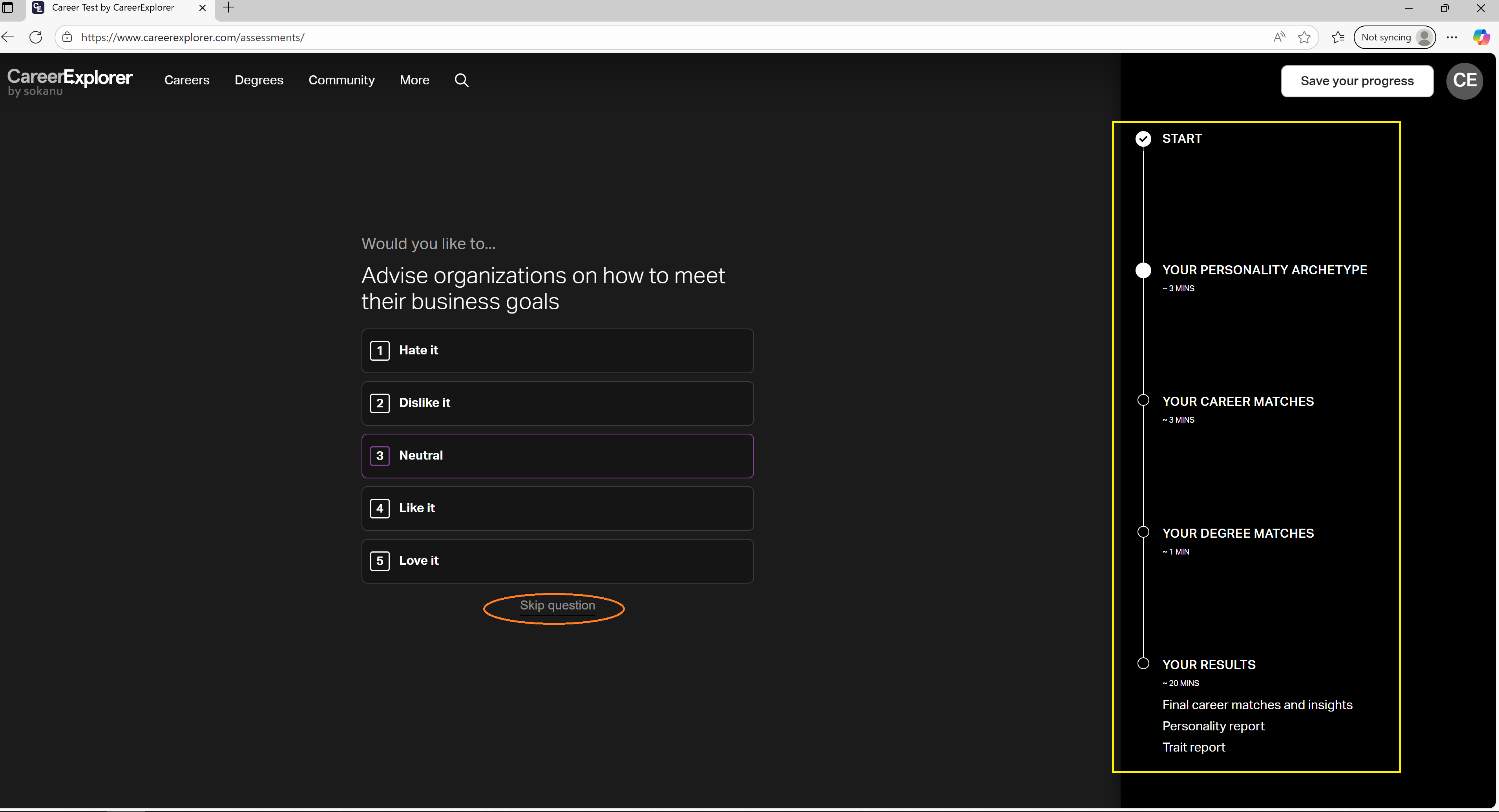 CareerExplorer test section 1- personality
 CareerExplorer test section 2 & 3 star rating
 CareerExplorer test results Trait report
Your Trait results report should look like the below, and should include the following 4 sections:
1- Section 1: Contains the top careers that your skills match with. If you click each career section it would provide more details on what skills and traits you have that match these career options.
2- Section 2: Contains top degrees that your skills and traits match with. It works similarly to the Section 1.
3- Section 3: Provides you with the options of joining the online community and also see what types of support you can access that would help you achieve your career goals.
4- Section 4: Provides your key traits and key skills (which we will be using in the CV and Cover letter Module 3) and the other is your working styles.
You have the option to download the report or send it to yourself via email which is found in the top right corner your report screen. To do so please follow the instructions there.
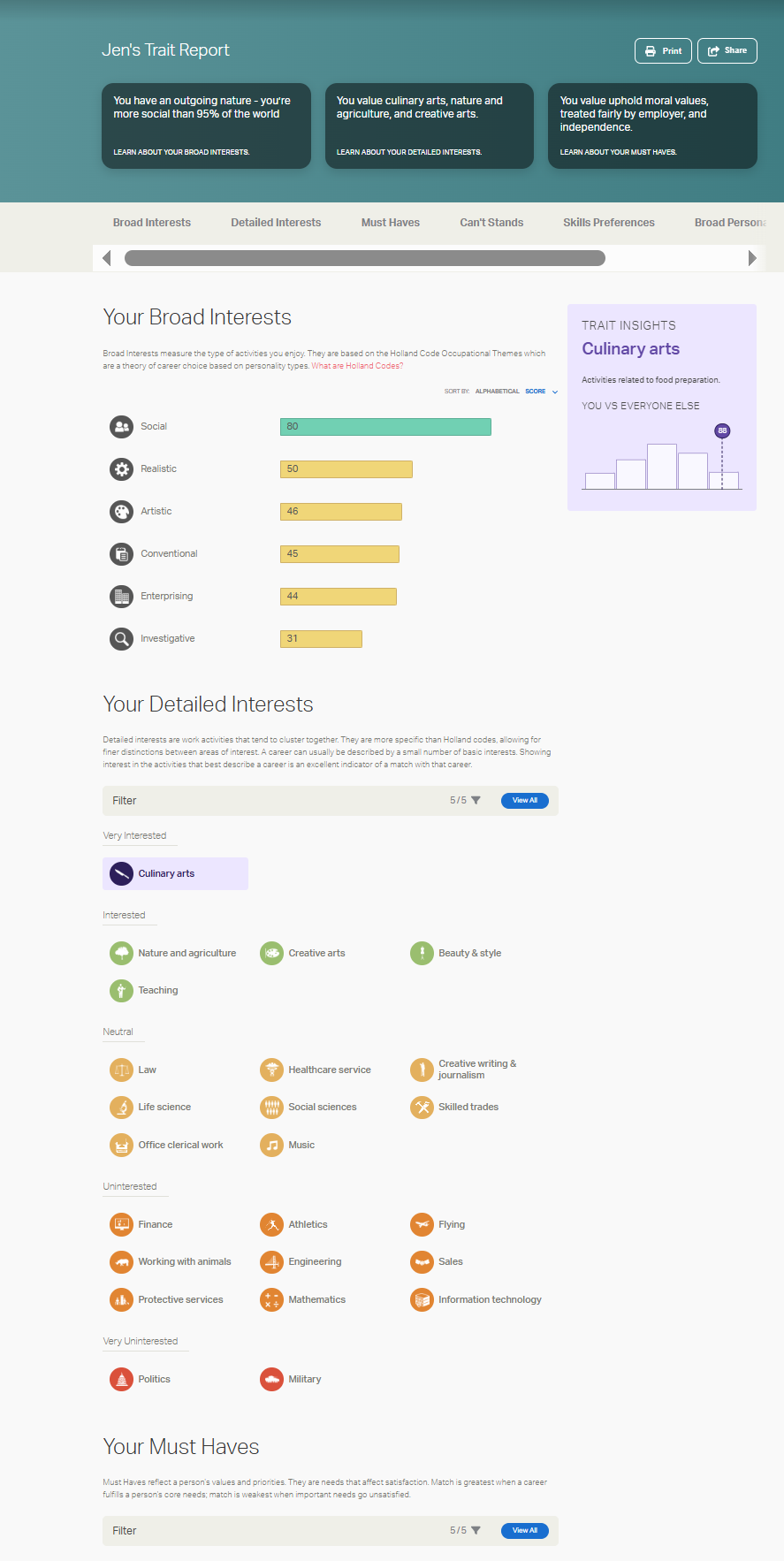 CareerExplorer Trait report sections
The different report sections are very useful in giving you an idea and to help you explore the potential careers or jobs that you could pursue and what might they entail. Here in this module we want to focus on the Trait report which is Section 4 of the CareerExplorer personlised report.
In this personalise traits report would also give you insights to your personality traits (as shown below) also known as soft skills in the professional context when it comes to jobs and work. These skills are the ones that we will be using in the next module (Module 3) for your CV and Cover letter.
 Detailed personality and key skills sections in CareerExplorer test report