
5.1.3 Bayt: Job search
Searching for Jobs on Bayt
To search for jobs on Bayt follow the 5 basic steps for online job search
Once you have created your Bayt profile, you would be able to start your job search on Bayt based on a Bayt account that is tailored for you.
To do this you go to the Bayt home screen and selecting the ‘Find jobs’ option found on the top menu of the website when using the computer or laptop and the bottom menu on the mobile application mobile as shown below in yellow.
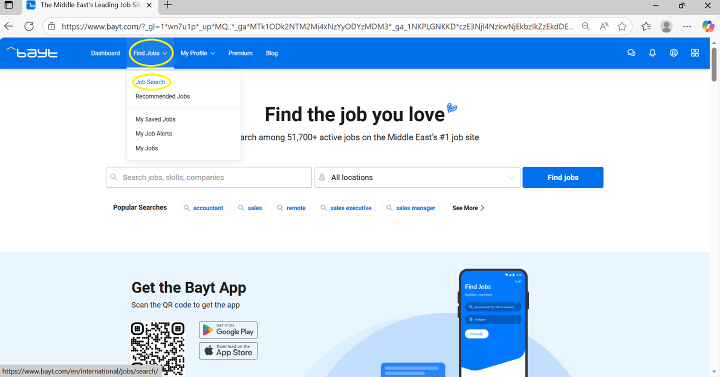 Accessing Bayt home screen- website (including computer/Laptop)
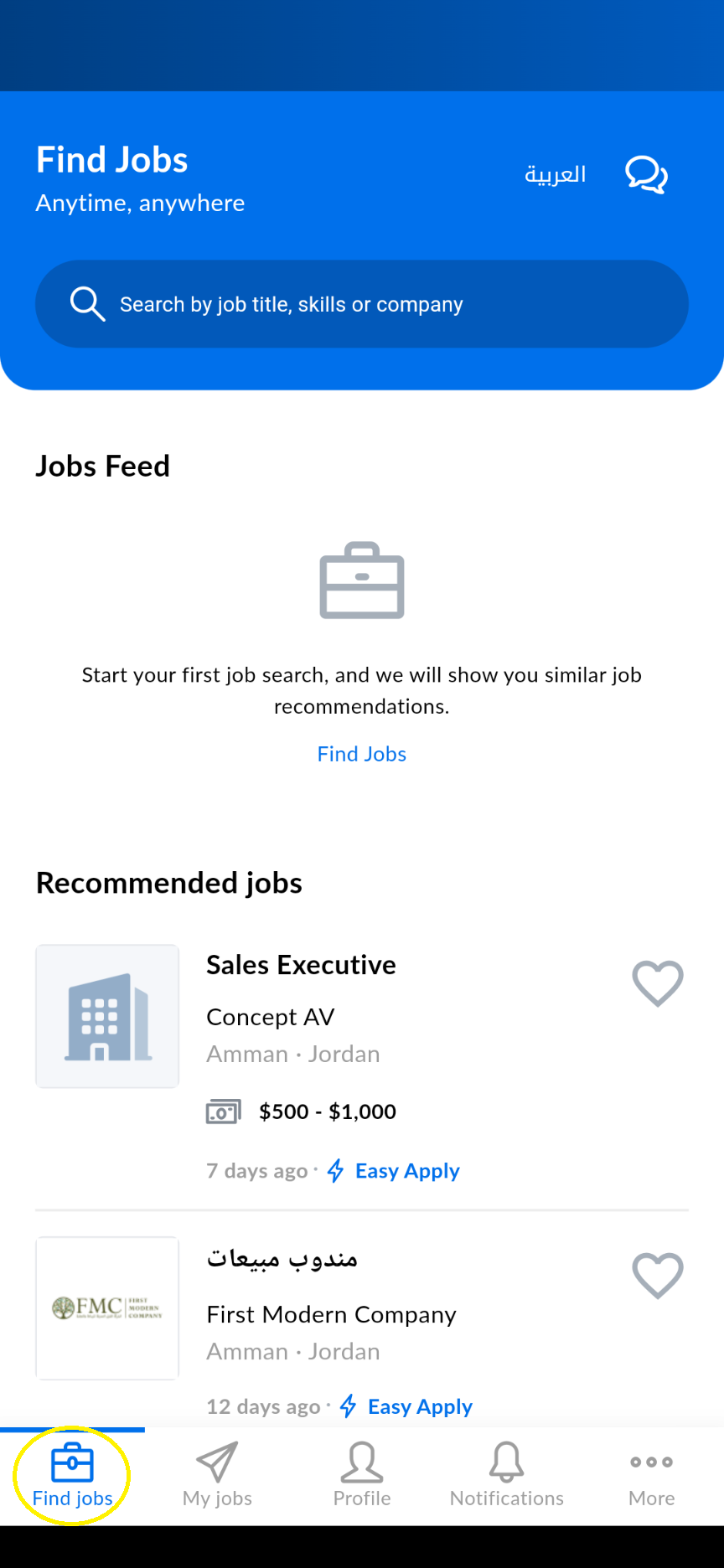 Accessing Bayt home screen- Mobile application
Once you are on the job search or the home screen you will be able to do the following activities to search for jobs:
1- Search for the jobs you want (in yellow below) based on the 5 basic steps of online job search explained in detail in Module 4.
2- Find jobs you applied for, saved and your recommended jobs on Bayt (in orange below).
3- View, receive and send messages from Bayt or recruiters on Bayt (in red below).
4- View your job notification and alerts (in green below). How to set up job alerts and notification will be discussed in detail later on in this module.
5- Change or add to your profile on the platform (in purple below).
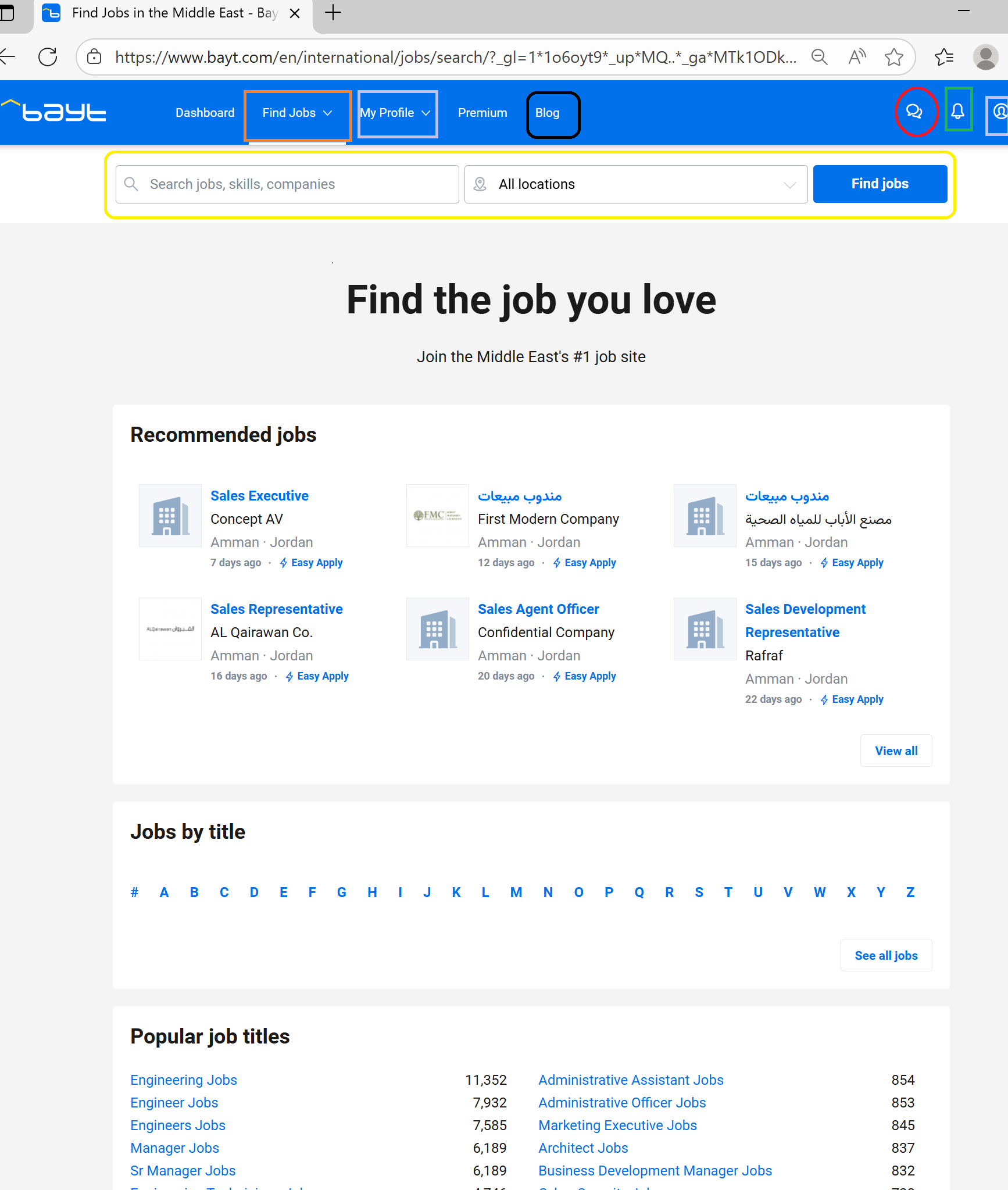 Bayt job search main screen features- website (including computer/laptop)
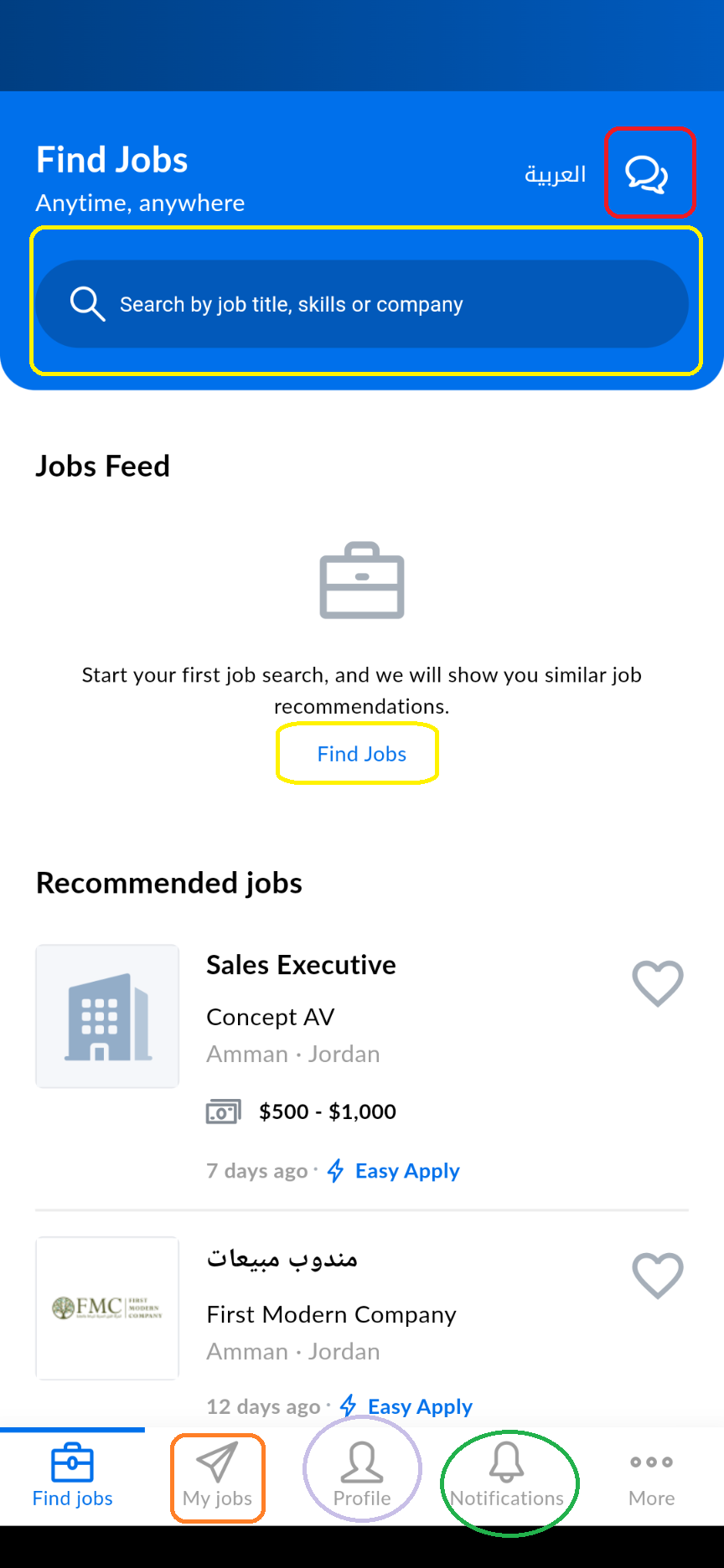 Bayt job search main screen features- Mobile application
As explained in Module 4, like many other recruitment and job websites and portals you are also able to access other job search and job application support and guides from the Bayt home page on their website only (not the mobile application) these are found in the "resources" section at the top menu of the home page (above in black).