
Adding ongoing details
Adding ongoing details : Now that our impact record has been created and evidence has been attached, there may be times where you would need to return to ad further details/evidence to the impact record.
In order to do this you need to access your library. Please refer to section 5 in order to know how to do this. We can add further details two ways we can add via the quick links or by clicking into the record itself.
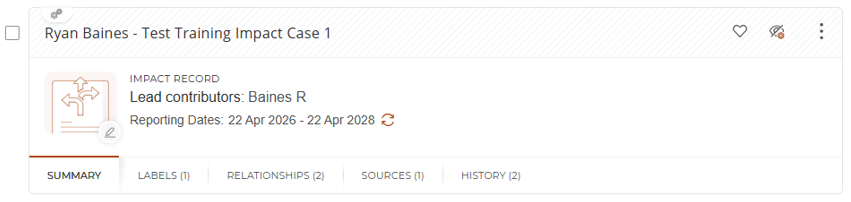
When using the quick links it provides more of an overview, rather than being able to change precise details. You can add further labels and relationships but you cant add further narrative or add further contributors. Where as if I click into the case I can add all of the appropriate details I need to.
Please refer to the screenshot below if you wanted to use the quick links:
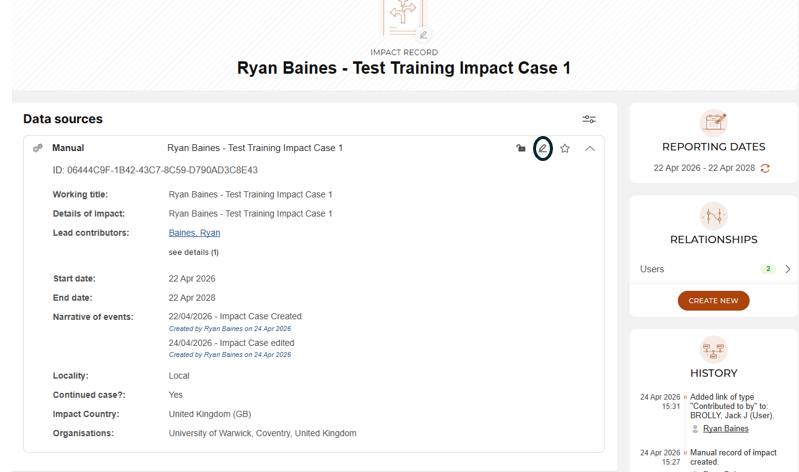
If you were click into the record and wanted to add further details you would need to click onto the pencil. Please refer to the screenshot below:
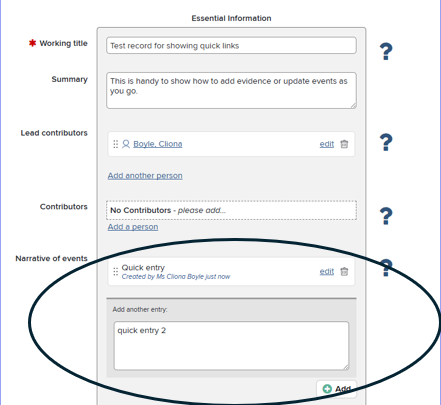
Once I have clicked via the pencil It will take me to the original impact record form. In this example I am going to add a further narrative. please refer to the screenshot below:
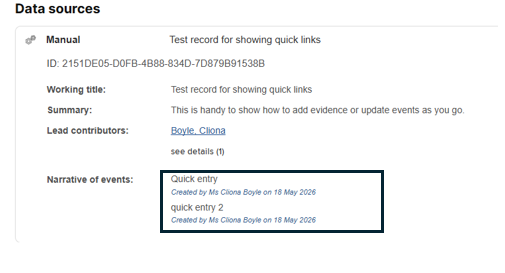
Once I have clicked save these narrative will now be added to the case. Please refer to the screenshot below for the final result:
There may be times where evidence needs to be added at some point in the future.. The evidence section can also be accessed by clicking into the impact record itself. Please refer to the screenshot below.
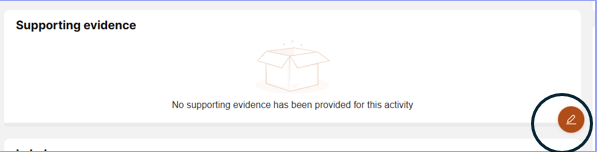
By clicking on the pencil you will now be in the same location as when we reviewed as section 7.
Please note: Any existing evidence will show in the supporting section if already added. This example was blank due to no evidence being attached.