
3.3 How to use: CV and Cover letter templates
Using the templates
How to use the CV and Cover letter templates
Before you add your information in the templates, you need to know how to use them.
The main steps of using the template are:
1- Open the template file: Click the link of the CV template or Cover letter template (provided below).
2- Create a copy: On a computer and select “File” option from the above menu on a mobile phone, select the menu option, then a drop down menu will appear select ‘make a copy’.
3- Save your own copy: Once you click on make a copy it would prompt you to name the file. You should name it as your Real name and family name, followed by - CV or – Cover letter, depending on which template you are using; and select the location you would like to save the file in.
Once you created your own copy of CV and the Cover Letter templates, you have to fill your own information in what is written in BLACK and sometimes in brackets [ ] indicated in green below. In addition the templates also provide details of what needs to be written in each section which is written in RED; this needs to be delete before sending it out to employers (indicated in yellow below). You also have the option to keep what is written in black WITHOUT [ ] only as long as it is applicable to you.
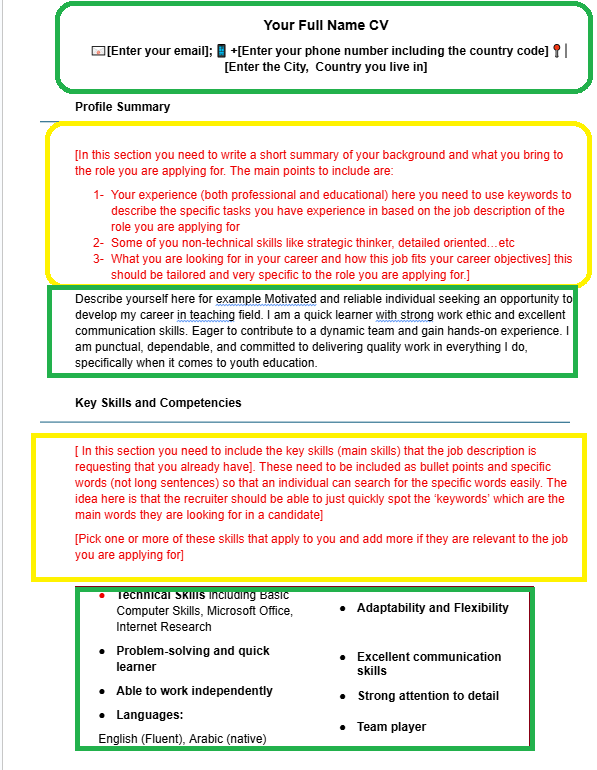 CV template black and red sections on computer/laptop
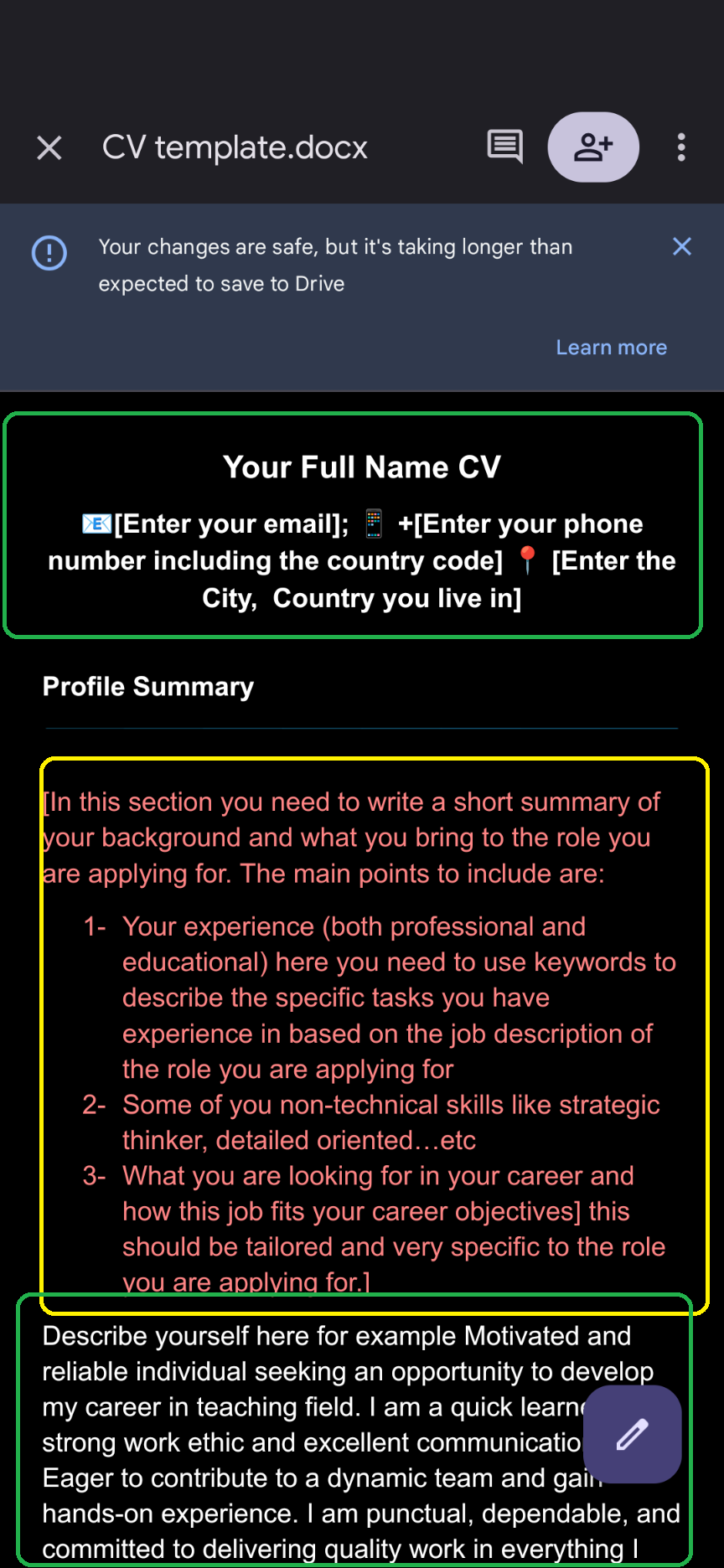 CV template black and red sections on a mobile phone
IT IS VERY IMPORTANT THAT AFTER YOU FILL THE INFORMATION IN BLACK YOU MAKE SURE YOU DELETE WHAT IS IN RED BEFORE SENDING THE CV AND THE COVER LETTER TO THE EMPLOYER.